Getting started with check-in
Record arrivals on site using the guest list or a QR code. Prepare check-in and check in your first guests.
- Module
- Check-in
- From plan
- All plans
- Role
- Admissions team with access to the event
- Time
- approx. 5 minutes
Before you start
- You have access to the relevant event.
- The guests have already been added to the event.
- For QR code check-in, you need the guest’s relevant QR code and a device that can scan it.
Step by step
- 1
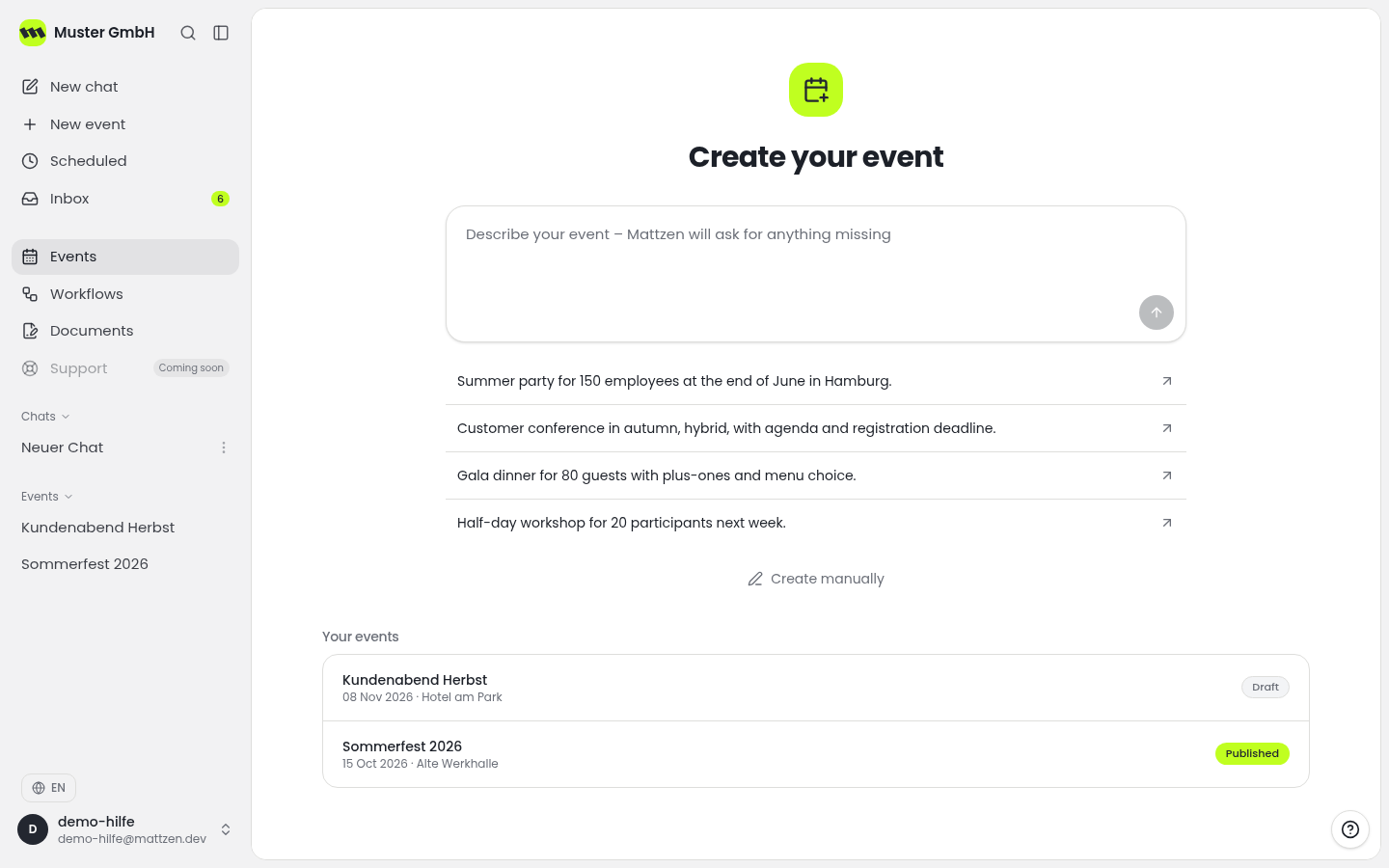
Open the event overview and select the event for which you want to manage admissions.
 12
12- 1Open Event Overview
- 2Select Event
- 2
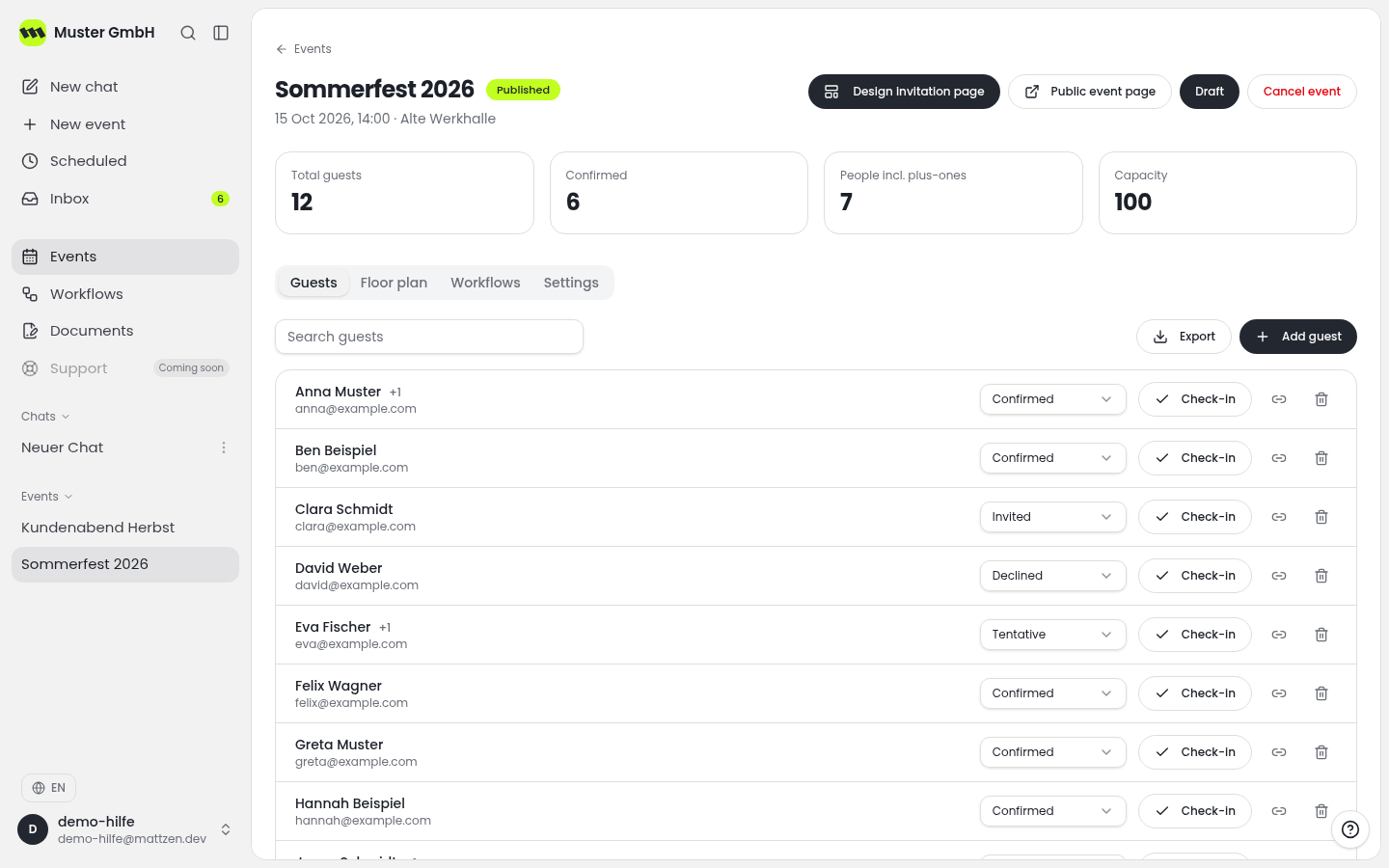
Open check-in within the selected event. Before admissions begin, check that you are using the correct guest list.
 12
12- 1Open Check-in
- 2Verify Selected Event
- 3
For list-based admissions: Find the arriving guest in the list, confirm their name and check in that guest entry.
123- 1Search Guest
- 2Match Names
- 3Check-in
- 4
As an alternative to list-based admissions: Use QR code check-in and scan the arriving guest’s QR code. Check the on-screen feedback before continuing.
- 5
After check-in, confirm that the guest is recorded as checked in. Only then move on to the next guest. Do not also use the other method for the same arrival.
1
Example
Result
Guests who have arrived are recorded as checked in for the event.
Common problems
Cause: You may have opened the wrong event, or the guest may have been added under a different name.
Solution: Check the event and confirm the name with the guest. If there is still no matching entry, contact the event organisers to resolve this.
Cause: The code may be blurred, obscured or difficult to read.
Solution: Ask the guest to display the complete code clearly and try again. If needed, use list-based check-in after verifying the matching guest entry.
Tips
- Open the correct event before admissions begin.
- For identical or similar names, compare the available details before checking in a guest.
- Agree within the admissions team how to resolve unclear cases with the event organisers.
FAQ
Does every guest need a QR code?
No. Guests can also be checked in using the guest list.
Do I need to check in a guest using both the list and a QR code?
No. The two methods are alternatives. After using your chosen method, check that the check-in has been recorded.
What should I do if a guest is already shown as checked in?
Check that you have the correct guest entry. Clarify any uncertain status with the admissions team before taking further action.