Getting started with the media library
Discover the media library’s two image sources: Mattzen template images and your own uploads.
- Module
- Media library
- From plan
- All plans
- Role
- Event organiser
- Time
- approx. 5 minutes
Before you start
- You have access to the workspace and can edit the event page.
- An event has already been created.
- For your own upload, you have an image file that you are entitled to use.
Step by step
- 1
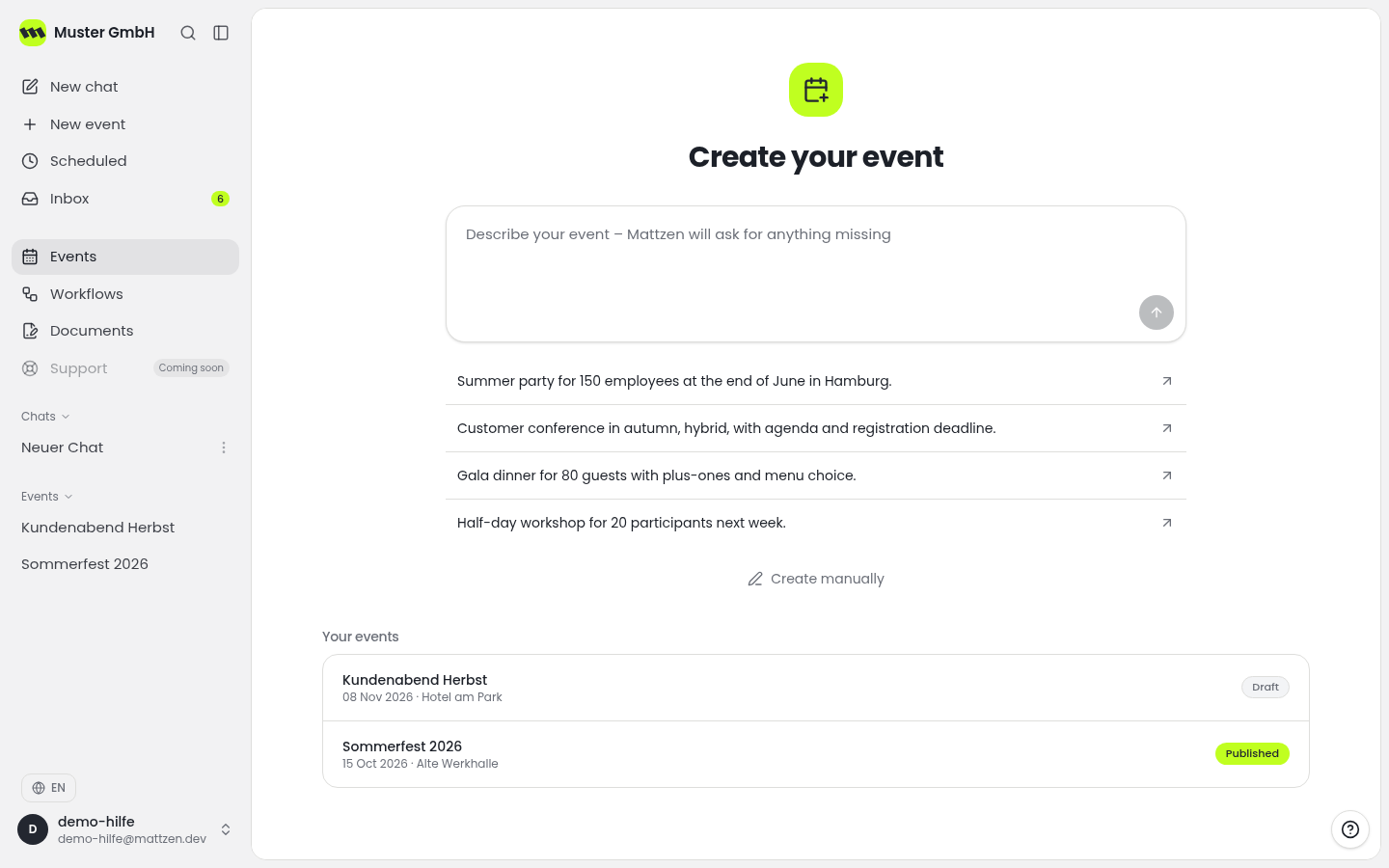
Open the event overview and select the event whose page you want to add images to.
 12
12- 1Open event overview
- 2Select event
- 2
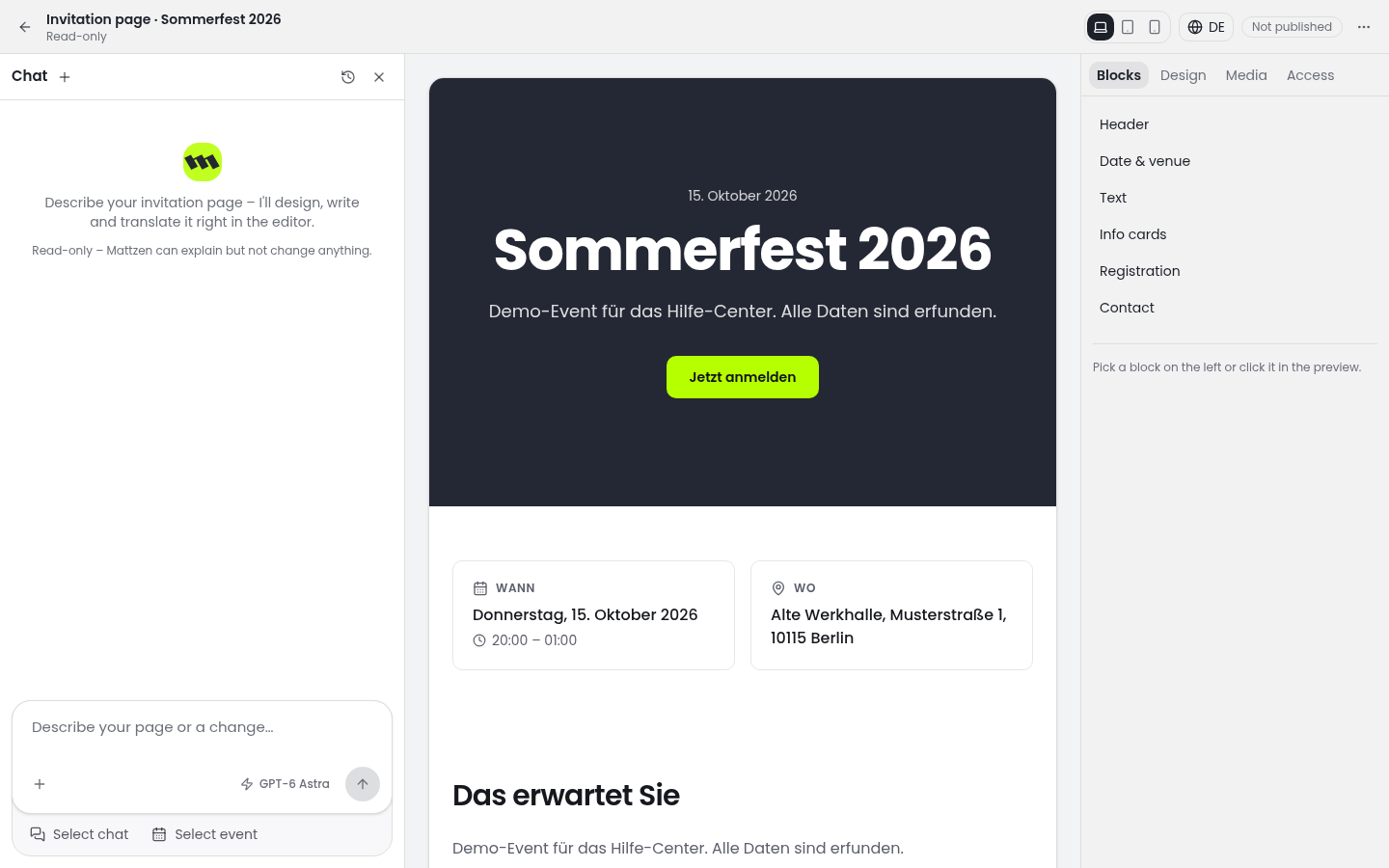
Open the event page editor. When editing an image area, open the media library.
 1
1 - 3
Browse the Mattzen template images. Consider which image suits the occasion and the design of your event page.
- 4
If you want to use your own image, use the media library’s upload option and select your prepared file. Follow any guidance shown during the upload, then check that the image is available in the media library.
1
Example
Result
You know the available image sources and have uploaded your own image if needed. Uploading an image alone does not replace editing your event page.
Common problems
Cause: The file may not meet an upload requirement, or the transfer may have been interrupted.
Solution: Check the message displayed and your internet connection. Adjust the file if necessary and try uploading it again.
Cause: Uploading an image to the media library does not automatically mean it is used on the event page.
Solution: Check in the event page editor which image is used for the relevant image area.
Tips
- Give your files descriptive names, such as muster-gmbh-event-image.jpg.
- Only upload images for which you have the necessary usage rights.
- Before uploading, check that the image content and quality are suitable for the intended use.
FAQ
Do I have to upload my own images?
No. The media library offers Mattzen template images as well as your own uploads.
Which file formats and sizes are supported?
Follow the guidance and error messages shown during upload. This article does not specify particular formats or sizes.
Will an uploaded image automatically appear on my event page?
Uploading makes the image available in the media library. Check separately in the editor whether it is used for the intended image area on your event page.